
Components
Important note: I built my smart home server during autumn 2023, where price situation with RAM, SSD and another components was on totally different level than nowadays. However, even that time price factor was for me very important but in some component selection (like RAM size) I was no so limited.
Case: Fractal Design Node 804
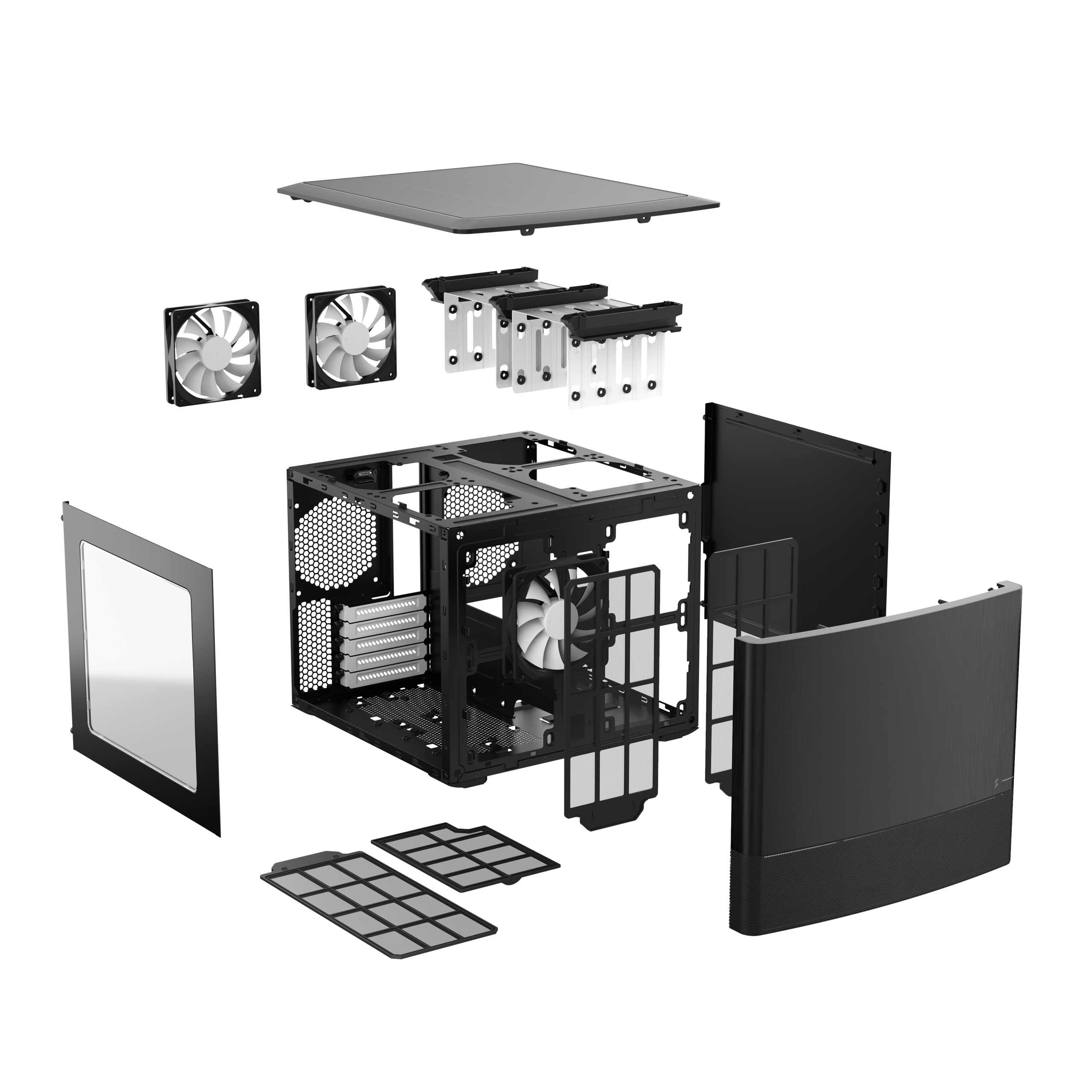
- selection comment: finding ideal case for home server it's very important step, as you can easily find-out after whole server build some major issues with your case design. For me main requirements were:
- manufacturer that is known and focused on silent cooling
- compact measurements - server is placed in cloakroom
- enough slots for cooling options - cloakroom has not ideal temperature conditions
- enough slots for 3,5" HDD as my server will have also NAS functionality
- darkness: no fluffy RGB functionalities, ideally close to zero LED's etc...
PSU: Seasonic Focus GX 550 Gold
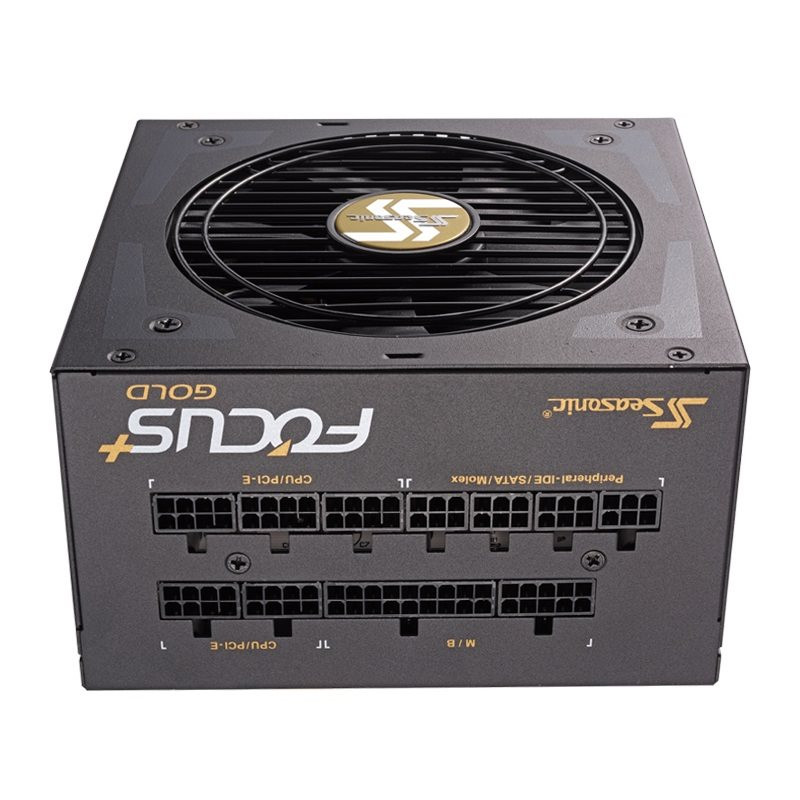
- selection comment: I would recommend to take PSU with full modular cable management. For home NAS server there are kind of specific requirements like: several HDD power cables or zero GPU cable... It is good to select at least gold standard of PSU and regarding Watts, you should discuss with any AI (like Gemini) your power needs plus put something over top as reserve for scalability.
Motherboard: ASUS TUF GAMING B450M-PRO II
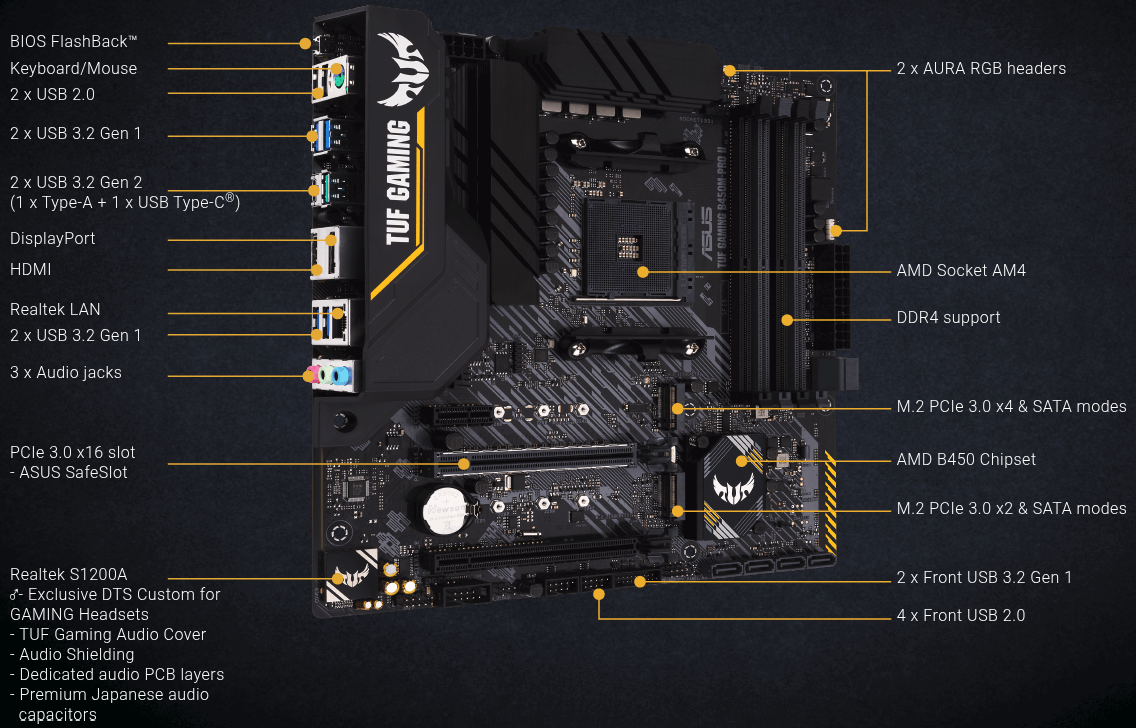
- selection comment: finding nice motherboard for home server it's another major step, similar like with case, you can later observe some major obstacles - honestly I have some lesson learned for myself. For me main requirements were:
- price: currently with prices for DDR5 RAM is RAM type important, also with CPU vendor selection
- compact measurements - micro ATX size
- vendor with good UEFI BIOS support (Asus is known for good firmware support for motherboards)
- chipset aIO CREST Quad 2.5 Gigabit Ethernet PCI Express PCI-E Network Interface Card 10/100/1000/25000 Mbps RJ45 LAN Realtek RTL8125 Chipset, Black
Luckfox PicoKVMnd components compatible with Linux - 2 slots for M2 disks ( I will explain this later in OS chapter)
- enough SATA connectors for 3,5" HDDs
- enough PCIe slots for potential card expansion
CPU: AMD Ryzen 5 4600G
- selection comment: selecting CPU for Home Server was not so much difficult, personally I prefer AMD over Intel, so I just take in consideration these requirements were:
- price/compute power sweet spot:
- energy and cooling effectiveness: 7-14W, temperature: 41-44 °C
RAM: Kingston Fury Beast KF432C16BBK2/64
- selection comment: RAM vendor and mainly size selection depends heavily on your use case. Like I already mentioned, in 2023 was situation with RAM prices totally different, so I decided to buy that time 64 GB (2x 32GB), which was and still is quite overkill for my scenario.
- My current RAM usage is 30%, considering running 1 virtual machine (Home Assistant HAOS) and 17 Docker containers. My recommendation is starting with 1x 16GB RAM module and later if needed, you can expand it up to 64 GB (usually you have 4 RAM slots on majority of motherboards).
2x SSD: Kingston SSD KC3000 1TB NVMe
- selection comment: SSD is used as cache device for storage array on Unraid. Cache is also used as primary location for any Docker container or virtual machine running on Unraid. Since version 7.3 Unraid OS can be stored on internal boot (SSD), which is much faster and safer option than previous USB flash disc only.
- I started with 1x SSD, later I decided to have 2 for mirroring.
- My current SSD usage is 10%, so definitely SSD can be smaller.
5x HDD: Seagate IronWolf 12TB CMR
- selection comment: size and quantity of HDD for storage array will significantly vary per every use case. As I use my server as NAS and I have there plenty of different silo's (photos, videos, install files, ISO's, etc.) I selected quite big HDD. According my experience I recommend to have always RAID setup, either mirror or RAID 5. For mirroring you need to have 2 HDD, for RAID 5 is minimum 3 HDD.
- I started with 3x HDD, during years I bought additional 2, so currently I have 5 of them.
UPS: CyberPower CP1600EPFCLCD SineWave LCD GP UPS 1600VA/1000W
- selection comment: event that I have photovoltaic power plant including battery pack, I decided to have independent UPS solution for my home server.
- general requirement was compatibility with Unraid (UPS can be connected either via USB or via network protocol).
- it's also good to calculate via some AI server power consumption to see potential UPS battery runtime. In my case, I have connected to UPS my small rack, which contain not only server, but also network switch, cloud gateway, WiFi access point and some another small devices.
- my current average UPS load is 120W (12%) with mean roughly 57 minutes running on batteries.
Server HW fine tuning
After 2 years of 24/7 usage of my home server setup, I decided to make some minor adjustments in HW configuration. We can split this section to 2 main parts - cooling and quality of life.
Cooling
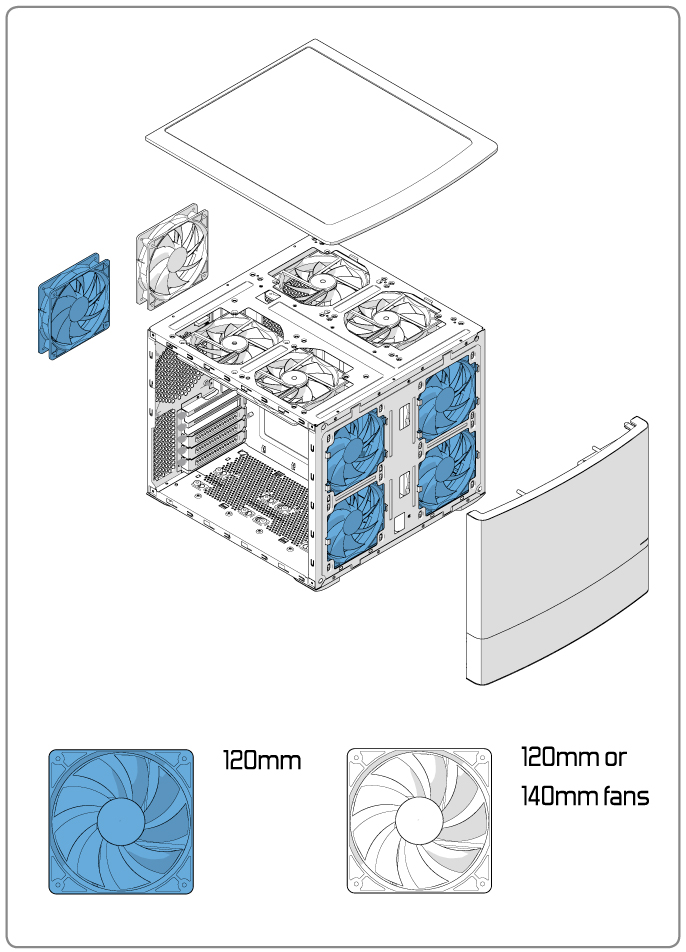
Summer 2026 was kind of extreme in matter of temperature and dry conditions. Unfortunately I have a roof window in my cloak room and therefore this place is not ideal for running server HW. I also reached 80% usage on my main storage array, so I was forced to buy additional 12TB HDD, including independent PCIe SATA controller plus second SSD cache device (to build mirroring). All of these things together with hot weather caused overheating in storage part of my case, which led to HDD temperatures around 45°C. It was clear that 3 preinstalled 120 mm case ventilators are not able to manage it. So I decided to buy additional 120 + 140 mm ventilators from Noctua and also replace exiting preinstalled ventilators. Fractal Design Node 804 is capable to handle up to 10 ventilators (see image bellow)m but it also depends on your HW configuration.
2x ARCTIC Case Fan Hub
- selection comment: my motherboard has two 4-pin Chassis Fan Headers (CHA_FAN1, CHA_FAN2). This is not enough for my extreme configuration of 6 ventilators, so I decided to buy 2 case fan hubs (3 ventilators per hub). Price of this component is very small and I am very satisfied with it.
5x Noctua NF-S12A PWM
- selection comment:
1x Noctua NF-A14 PWM
- selection comment:
Quality of life
AXAGON PCES-SA6, 6x internal SATA 6G port, PCIe controller
- selection comment:
IO CREST Quad 2.5 Gigabit RJ45 Ethernet PCI Express PCI-EPCIe Network Interface Card 10/100/1000/25000 Mbps RJ45 LAN Realtek RTL8125 Chipset, Black
- selection comment:
Luckfox PicoKVM
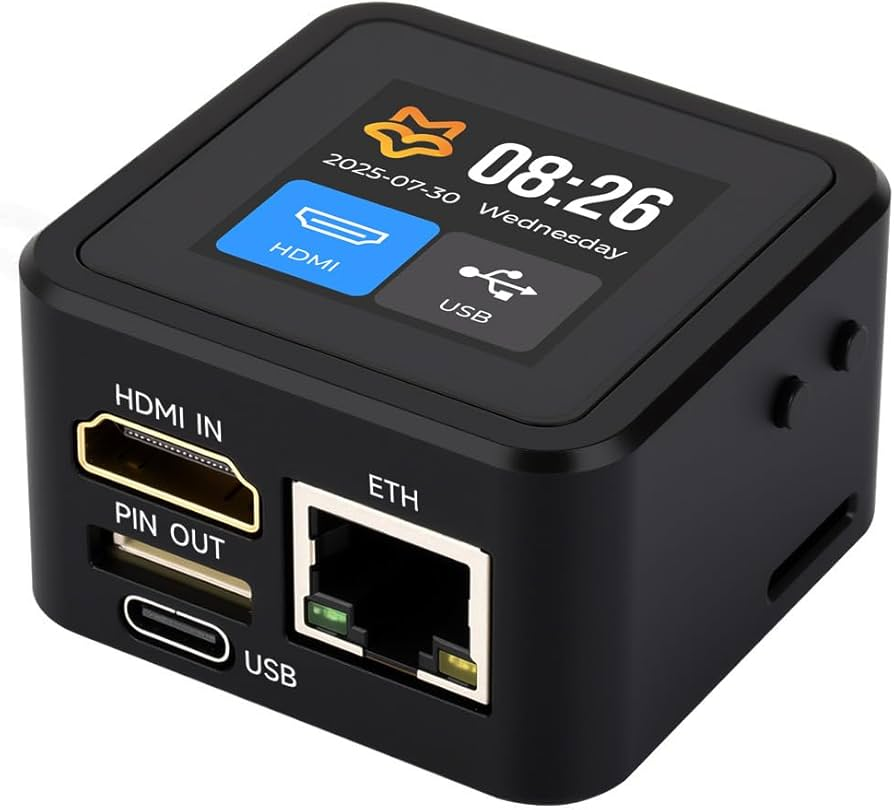
- selection comment: